The guide
How the machine works
From what's in your fridge to a sauce-forward recipe in about a minute. Here's every control, step by step.
Pick a meal
Choose Breakfast, Lunch, Dinner, Appetizer, Dessert, or Snack. Each meal turns on a sensible set of reels for you — you can change any of them.
Set each reel: Off, Random, or Pick
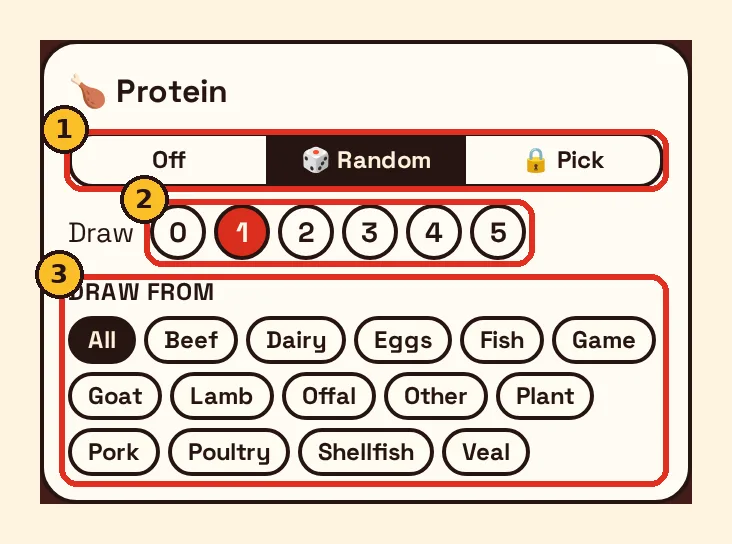
① The three buttons. Off leaves that food out. 🎲 Random lets the machine choose. 🔒 Pick lets you choose exactly what goes in.
② Draw. In Random, choose how many items (up to 5) the reel lands on.
③ Draw from. Narrow Random to certain groups — for example only Poultry or only Seafood.
🌶️ Sauce is always in. It can be Random or Pick, but never Off.
Pick exact ingredients you have
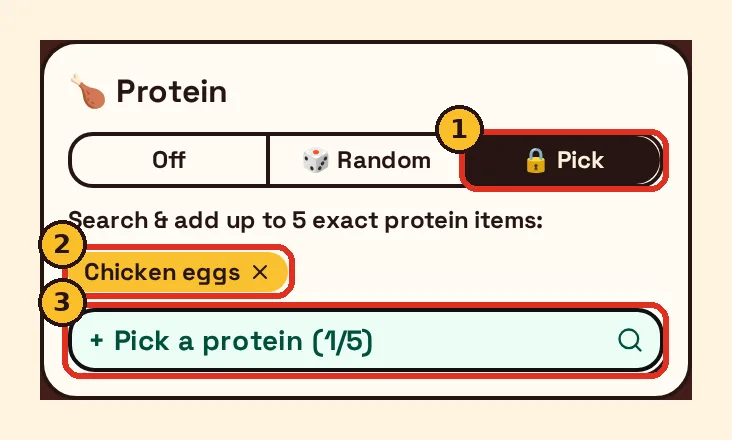
① Tap 🔒 Pick on any reel — this is how you cook with what's already in your fridge.
③ Tap the green search box, type an ingredient, and tap it to add it. Add up to 5 per reel.
② Your picks show as yellow tags. Tap the ✕ to remove one. Picked items are guaranteed to be in your recipe.
Omit foods & allergies
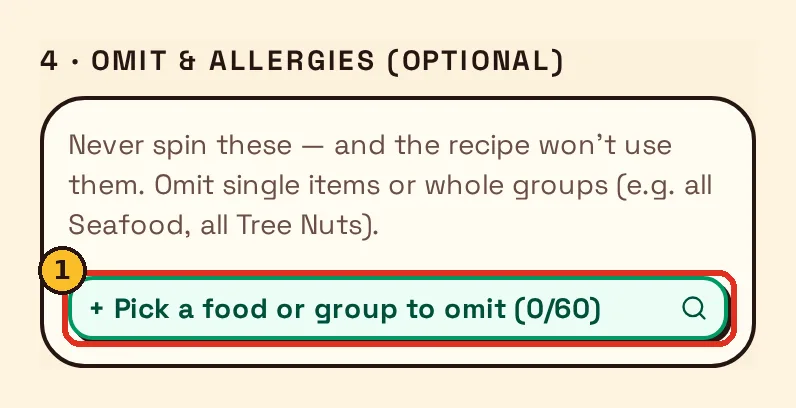
① Search for single foods or whole groups (like all Seafood or all Tree Nuts). They'll never spin, and the recipe is told not to use them.
Always double-check recipes yourself for allergies. See our Terms.
Add your Chef's notes (optional)
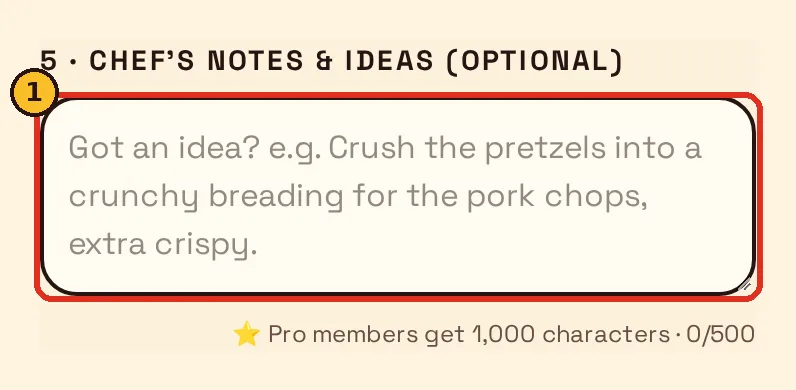
① Tell the kitchen what you have in mind: "air fryer only", "make it a soup", "extra crispy". Free members get 500 characters, Pro members get 1,000.
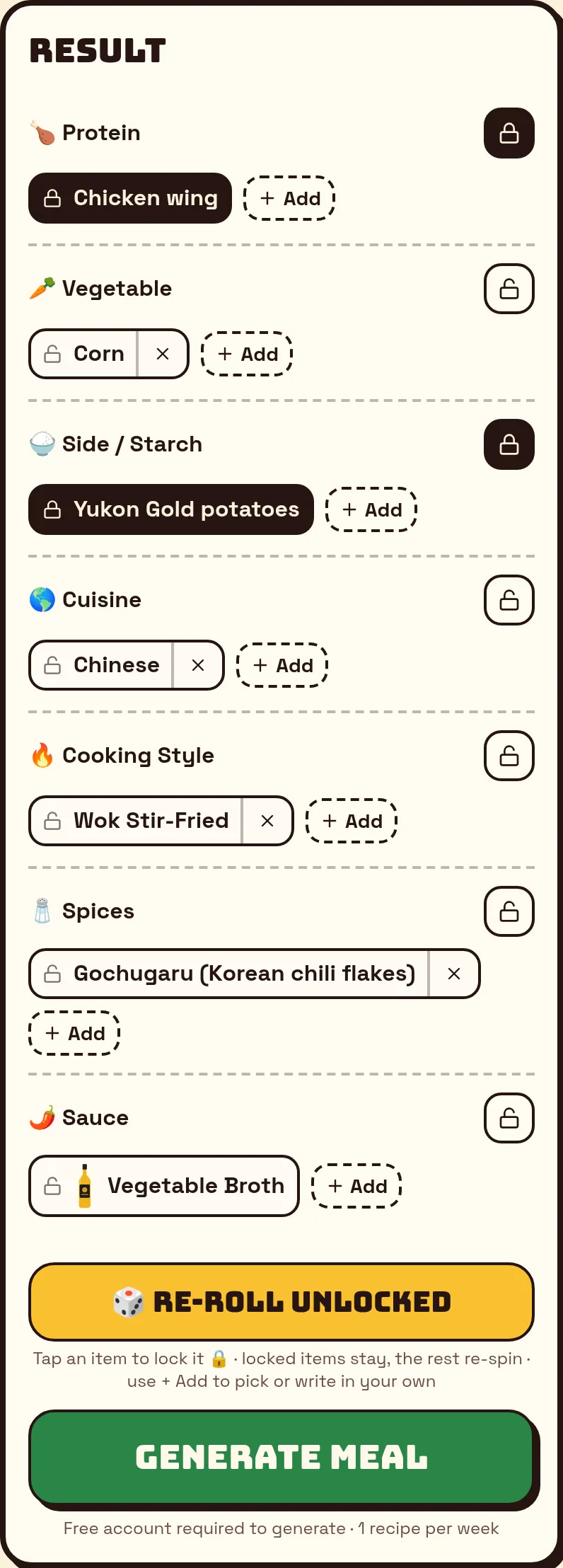
Tweak your results: lock, remove, pick & write in
① Lock what you love (🔒). Tap any single ingredient or sauce to lock it, or use the lock on the right to hold a whole row at once.
② Drop what you don't (×). Tap the × on any unlocked item to remove it without re-spinning the whole reel.
③ Pick or write in (+ Add). Tap + Add on any row to search our ingredient list — or write in your own food or sauce. Written-in sauces even get their own red bottle! Write-ins apply only to this recipe and are never saved to our lists.
④ Re-roll the rest (🎲). Tap Re-Roll Unlocked to spin fresh ideas into the open spots while everything you locked or added stays put.
⑤ Generate. When your spread looks delicious, hit Generate Meal. Anyone can spin; making a recipe needs a free account (1 recipe a week, or 5 a day with Pro).
Your recipe: save, print, share
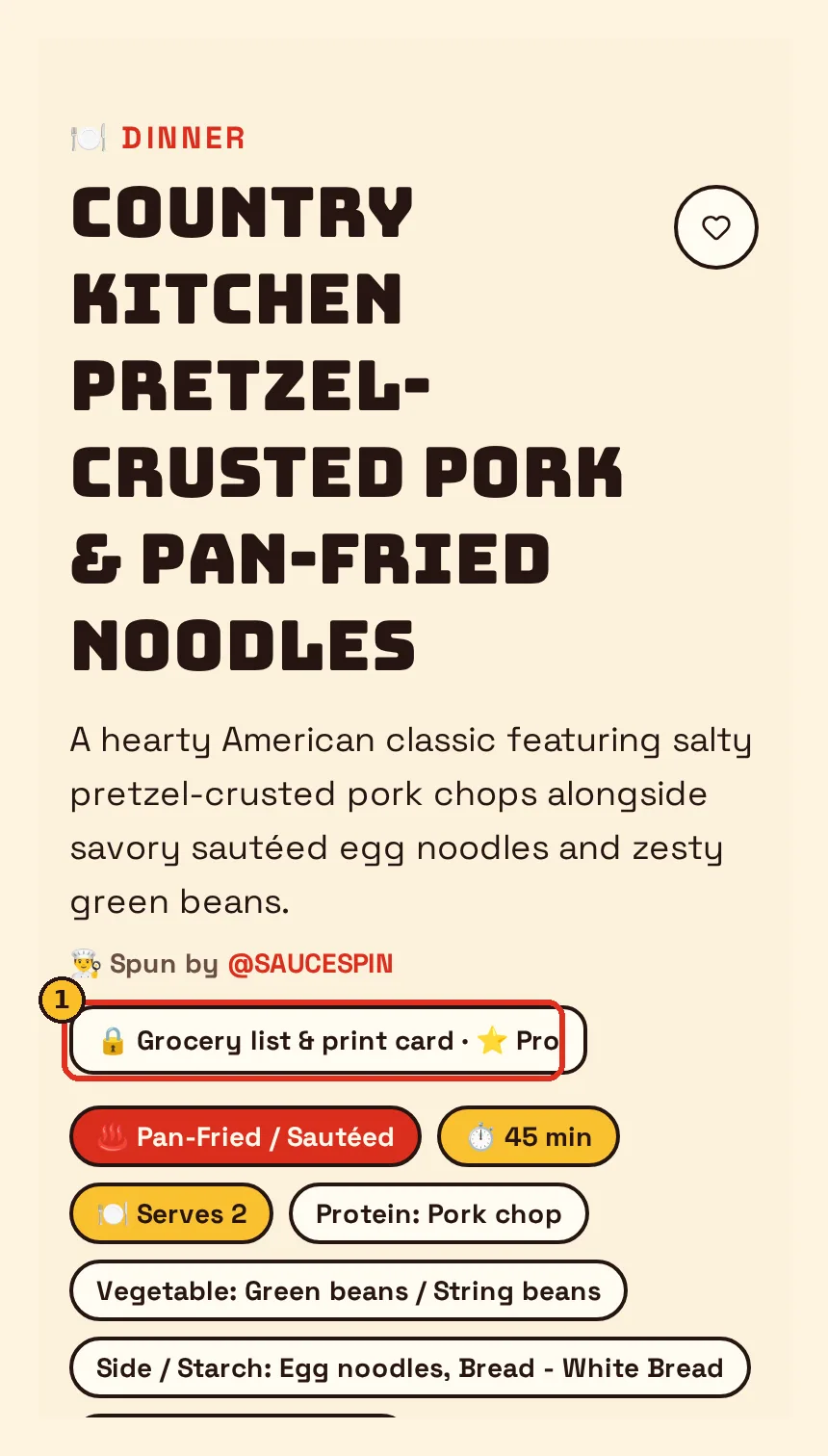
Every recipe gets its own page with ingredients, steps, and the sauce bottles used. Tap ♡ to save favorites.
① Pro members can copy a grocery list, print a recipe card, or download a one-page PDF with a QR code back to the recipe.
Edit your recipes from your Profile
Open Profile → My Spun Recipes and tap Edit on any recipe you made to tweak the text or add a photo of your finished dish. You can change your photo anytime.
Ready to cook?
Take a spin